MedLocker Always ready when it matters most
Designing an emergency medicine management platform for campus health programs, so the right medication is always in stock, unexpired, and trackable.
Emergency medicine has no margin for error
01.the problemCampus health programs are legally required to keep emergency medication lockers stocked and unexpired. Before MedLocker, there was no centralized system — staff relied on paper checklists, sticky notes, and manual spreadsheets. Lockers fell out of compliance silently.
A single expired EpiPen during a real emergency isn't a data problem — it's a life-safety failure. The design challenge was creating a system that made compliance the path of least resistance, and made problems impossible to miss.
From incident to restock the full loop
Key scenarioThe core design challenge was a complete workflow: an emergency happens, a responder accesses the locker, an incident report is filed, the locker status turns critical, and a health officer must verify full restock before the locker is cleared for use again.
Every screen in this flow had to serve a different user under different conditions: a responder in a stressful moment, an administrator catching up in the morning, a health officer doing a compliance check. The design had to work for all of them without switching contexts.
A campus responder opens the locker and uses a medication, an EpiPen, Narcan, or glucose gel. The system shows the locker's current status before they begin, including what's available and what isn't.
Responder accesses MedLocker during an emergency
1
As the incident unfolds, a health event is opened against that locker. The detail view switches to an active event state, showing what was used, who responded, and a timestamp. The locker is immediately flagged as depleted.
Active event is logged and tracked in real time
2
The responder or health officer files a detailed incident report, patient information, medications dispensed, outcomes, and follow-up actions. The form is structured to meet compliance requirements without being a burden to complete.
Incident report filed with structured documentation
3
With medications used and the incident closed, the locker status turns critical. The MedLocker Index surfaces this immediately. The responsible admin sees it on their next login, no hunting, no checking spreadsheets.
Locker enters critical status admin is notified
4
Before the locker can be returned to active status, a health officer must work through the Restock & Reset Checklist, verifying each item, its quantity, and expiration date. The locker only clears when every item is confirmed.
Health officer completes reset checklist to clear locker
5
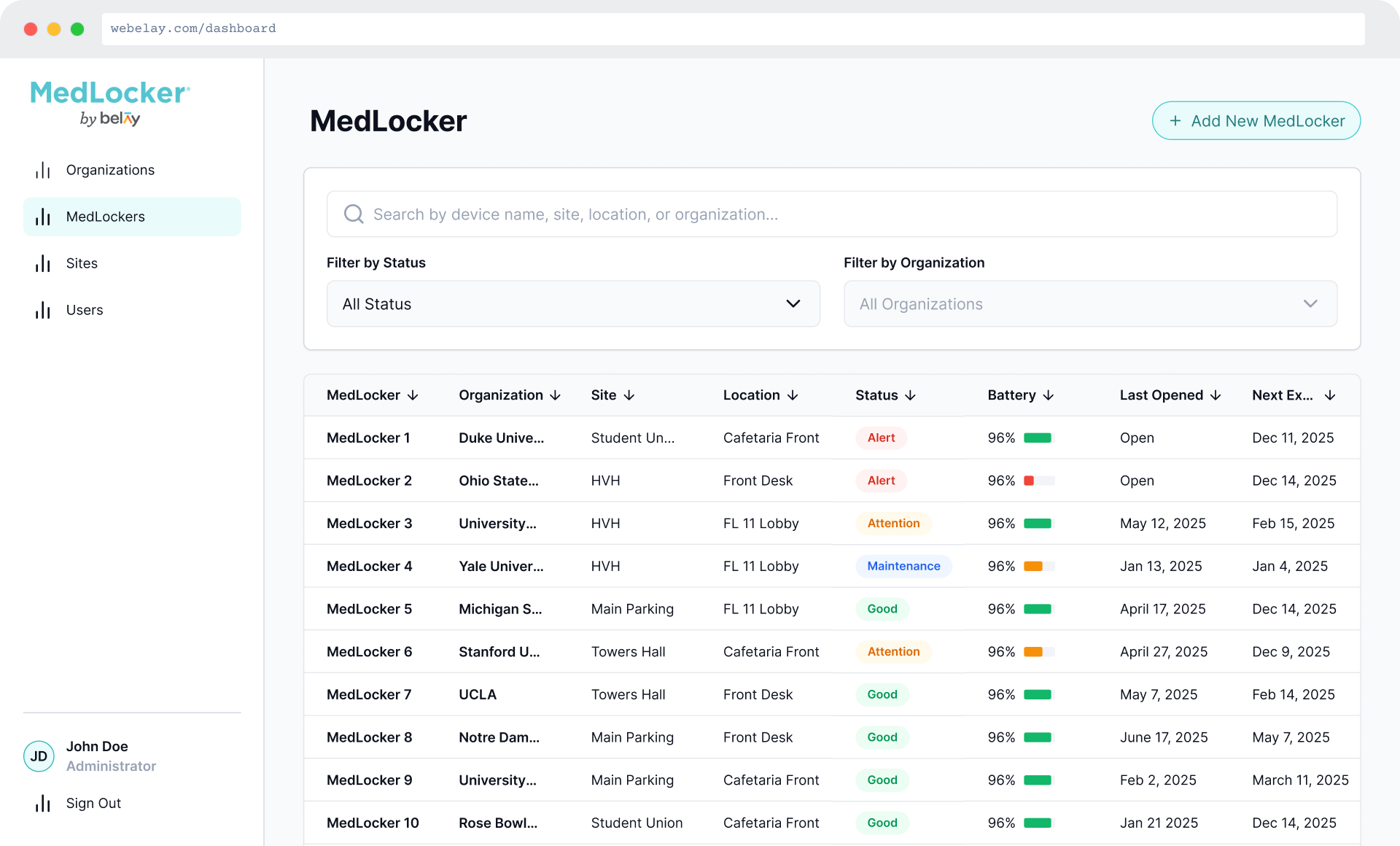
The detail view is the operational core of the system. At a glance, the color-coded status header communicates readiness; red means action needed, teal means ready. Below it, every item in the locker is visible with stock level, expiration, and status.
The MedLocker Detail View
screen detailsAfter an incident, a health officer works through every item, checking quantity and expiration. The checklist pre-fills from inventory records, so they're verifying, not re-entering. Progress is tracked visually, and the locker only clears when every item is confirmed.
Restock & reset checklist
screen detailsscreen detailsThe incident report captures what happened, what was used, who was involved, and what the outcome was. It's structured to meet compliance documentation requirements while being quick enough for a responder to file immediately after an event.
Incident report
A compliance workflow that protects people
ImpactMedLocker replaced a fragmented, paper-based process with a single system that makes the right action obvious at every step. The result is faster compliance checks, complete incident documentation, and no expired medications slipping through unnoticed.
What I learned
ReflectionDesigning for life-safety requires a different threshold for clarity. Every ambiguous state, a locker that's "mostly stocked," an incident that's "probably filed" — has real consequences. The most important design work here wasn't the visual layer; it was defining the rules: what does "ready" mean, exactly? What triggers a critical state? Who can clear it, and how?
The hardest part was designing the checklist gate. Early versions allowed health officers to mark lockers ready without completing every item, which seemed flexible, but undermined the whole point. The final design makes partial completion visible and prevents clearing until everything is confirmed. Constraints, done right, are features.