Designing an interactive insurance calculator that helps users estimate car insurance costs based on their location and driving profile, while supporting multiple brands across Insurify and Compare.com.
Overview
Insurify provides tools that help users compare car insurance quotes. Many users search online to understand how much car insurance might cost before committing to a full quote process.
This project focused on designing an interactive insurance calculator embedded within SEO landing pages and blog content. The calculator helps users estimate insurance costs based on location and driver information, while guiding them toward the Insurify quote funnel.
The design also needed to support multiple brands, including Insurify and Compare.com, requiring a flexible interface that could adapt across different brand styles.
The Problem
Estimating car insurance costs requires multiple inputs and often involves unfamiliar insurance terminology.
Key challenges included:
Too many inputs could overwhelm users
Many users did not understand insurance terms
Insurance pricing data needed to be presented clearly
The experience needed to remain simple enough to encourage users to continue into the quote flow
Without careful design, the calculator could feel intimidating and discourage users from engaging with the tool.
The Goal
Design a calculator that:
Simplifies complex insurance inputs
Helps users estimate insurance costs quickly
Educates users without overwhelming them
Encourages users to continue into the quote funnel
Supports multiple brands across different platforms
My Role
Lead Product Designer
Responsibilities included:
Designing the full calculator experience
• Simplifying complex insurance inputs
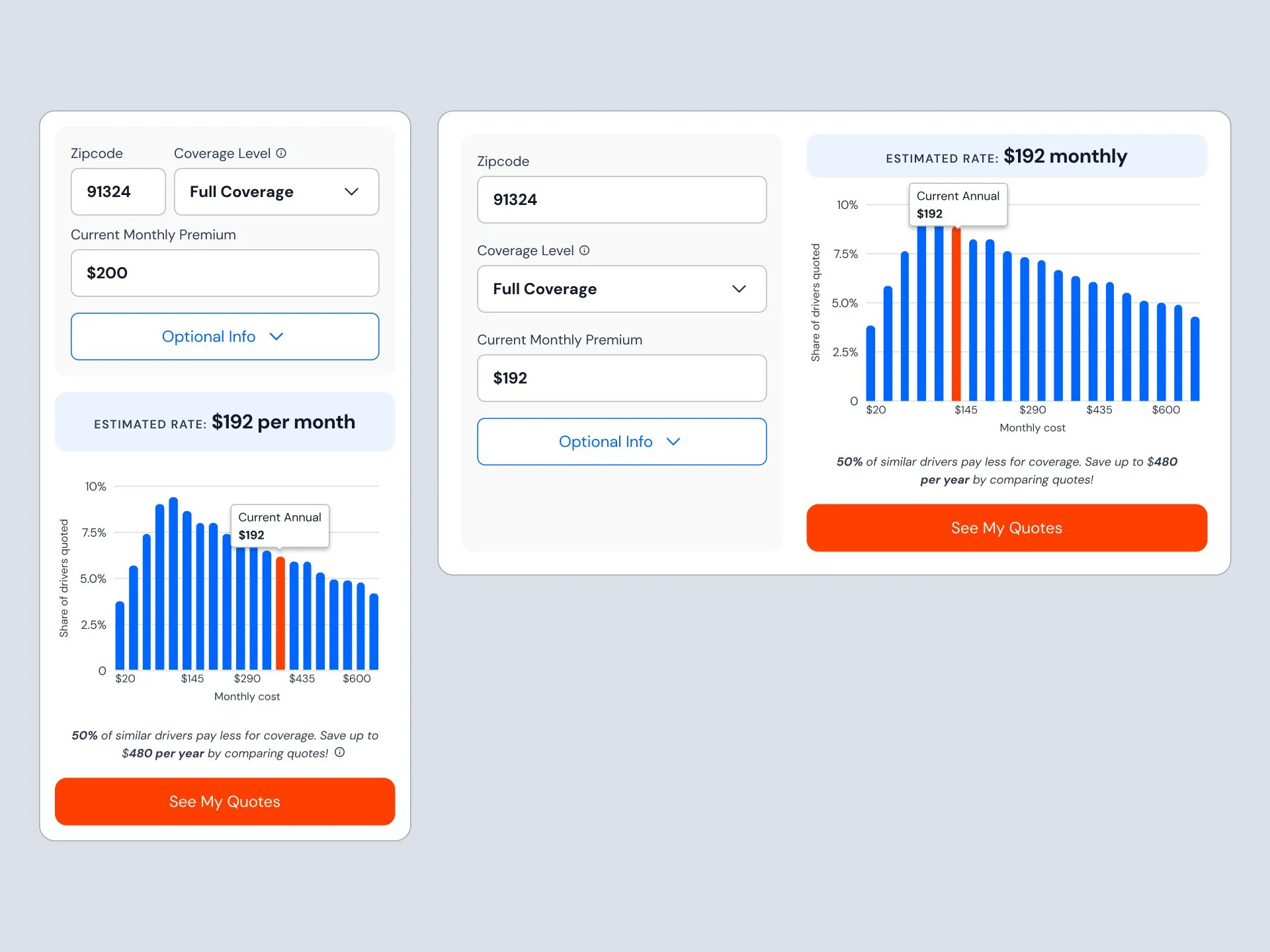
• Designing both mobile and desktop interfaces
• Creating the pricing visualization and chart
• Supporting multi-brand implementation for Insurify and Compare.com
Design Approach
To reduce friction and make the calculator approachable, the experience was designed around three principles.
Simplified inputs
Insurance details were translated into structured fields and dropdown selections so users could provide information without needing deep insurance knowledge.
Progressive information
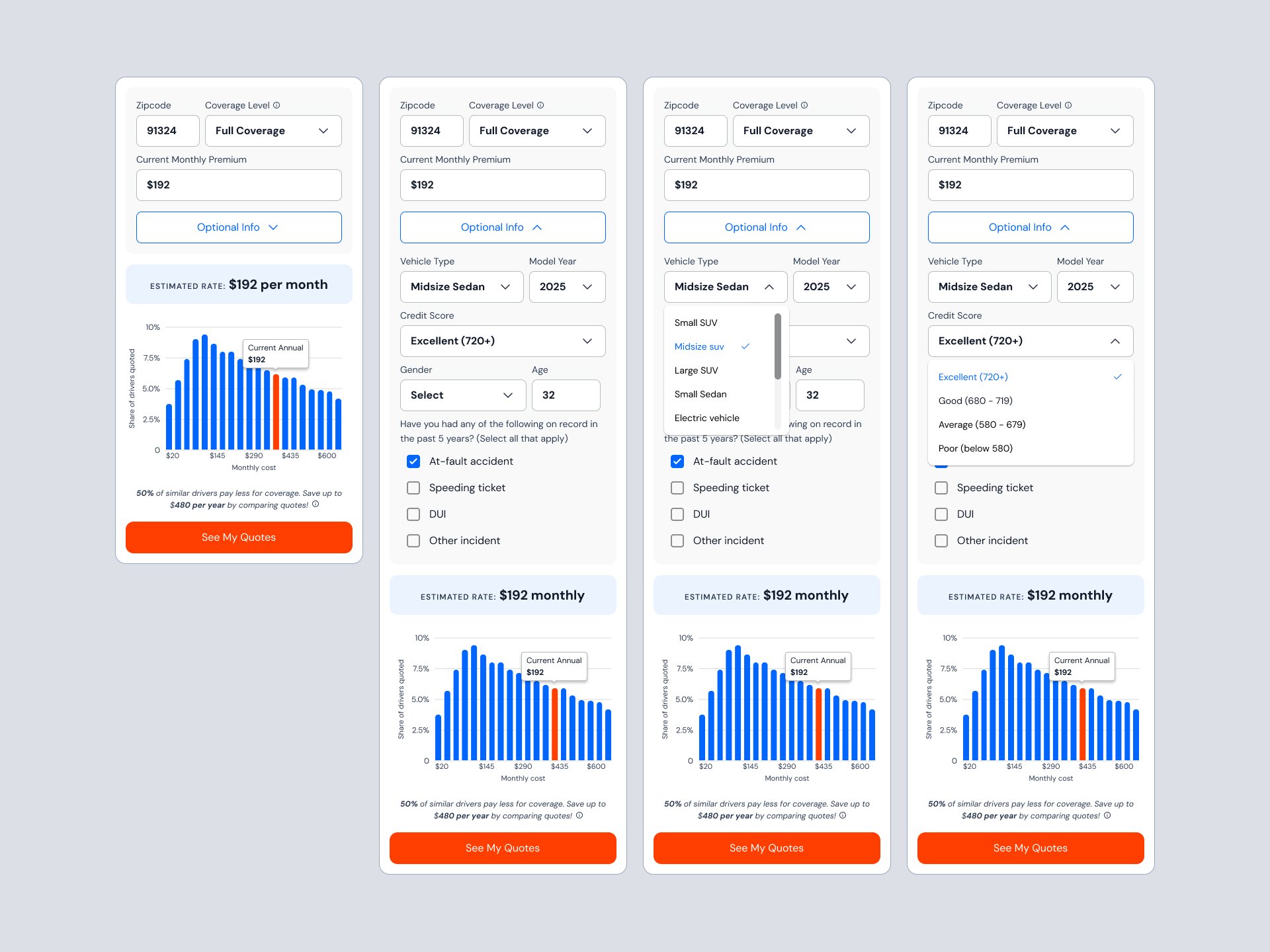
Optional fields were hidden behind expandable sections so the interface remained clean and approachable.
Visualized results
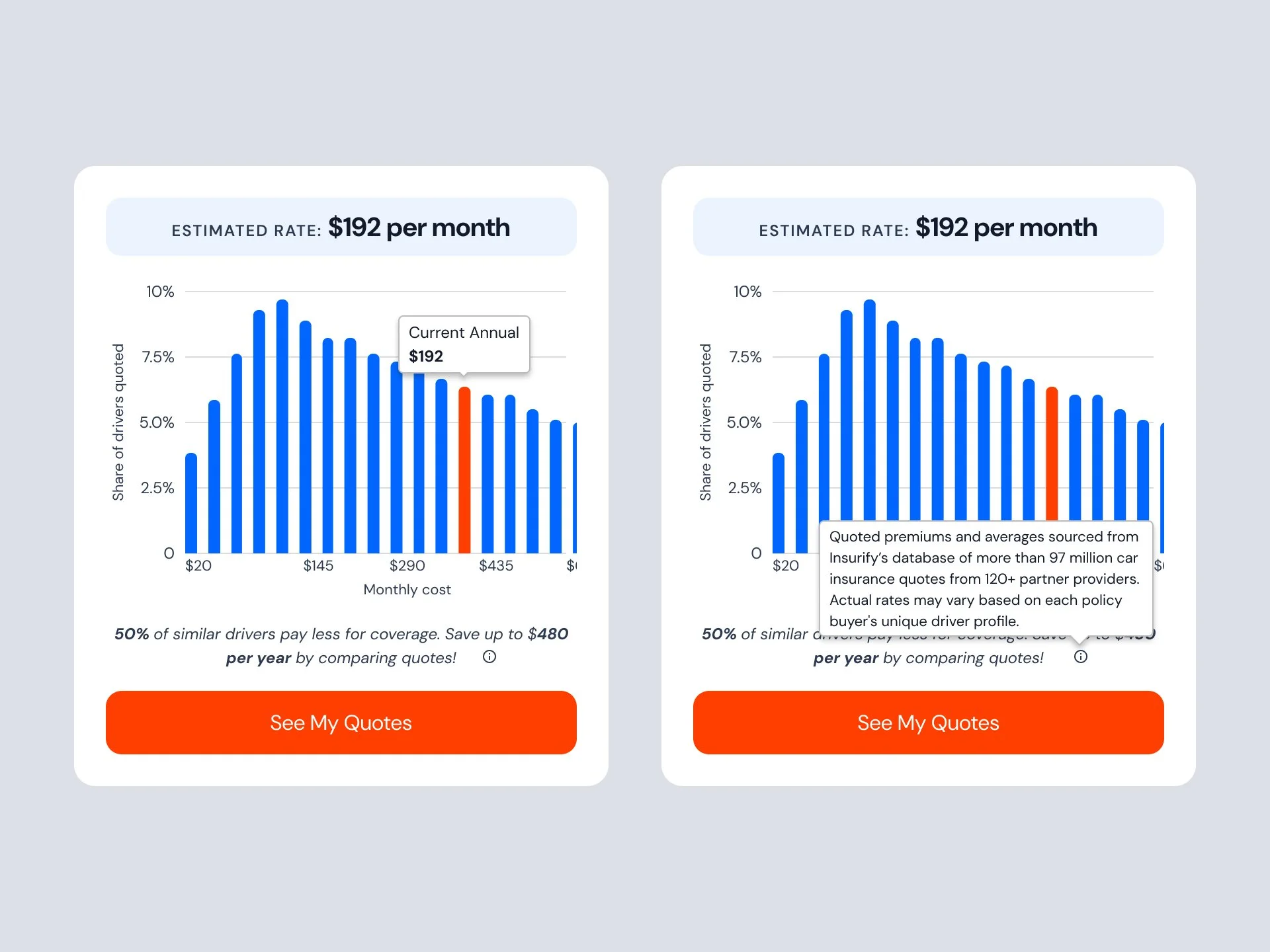
Pricing data was presented using a chart that shows the distribution of insurance costs for similar drivers, helping users understand where their estimated price falls.
Multi-Brand Support
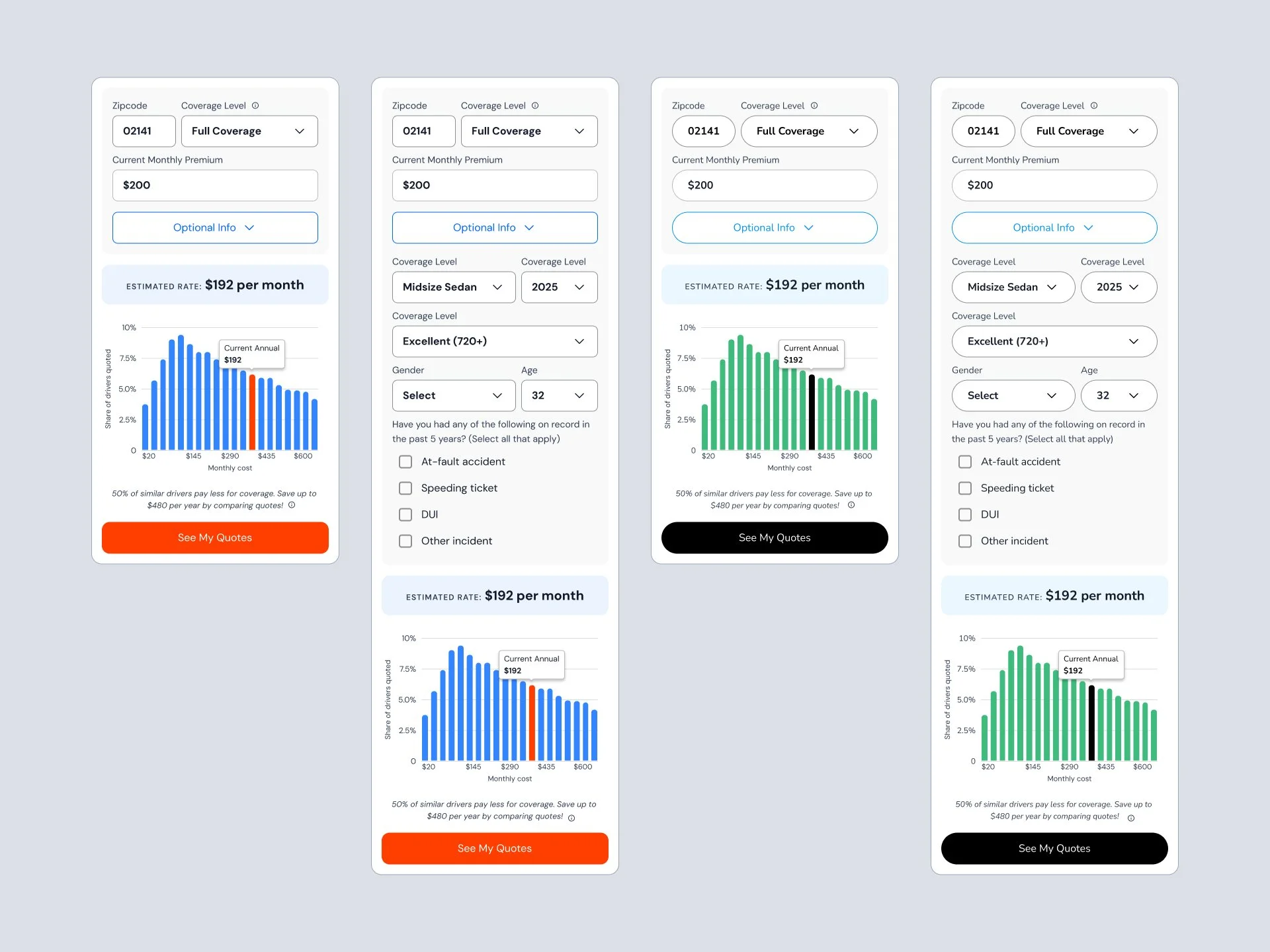
The calculator was designed to support multiple brands, including Insurify and Compare.com.
The layout and interaction patterns remained consistent while allowing visual elements such as color, typography, and call-to-action styling to adapt to each brand.
This approach allowed the calculator experience to scale across platforms while maintaining a consistent user experience.
Key Product Interfaces
Insurance Calculator Input
Users begin by entering basic information such as zipcode and coverage level to estimate potential insurance costs.
Expanded Driver Information
Optional driver details allow users to refine their estimate without overwhelming the initial experience.
Price Distribution Visualization
A chart visualization shows the range of insurance prices for similar drivers, helping users understand how their estimate compares.
Quote Funnel Entry
After reviewing their estimated cost, users can continue directly into the Insurify quote flow to compare real insurance offers.
Outcome
The calculator provided users with a quick way to estimate insurance costs before committing to a full quote process.
This helped:
• educate users about insurance pricing
• reduce uncertainty before requesting quotes
• guide users into the Insurify quote funnel